Search The Support Knowledgebase


(database of technical support questions and answers):
   

Author Topic: How to show tyres compound with RaceRoom Racing Experience (R3E)

Offline pttmic

  • Standard Subscription
  • Master Guru
  • *
  • *
  • *
  • Posts: 1649
  • Michel.
How to show tyres compound with RaceRoom Racing Experience (R3E)
« on: September 15, 2017, 12:09:17 PM »


Hi guys,

I enjoyed using the latest update of R3E which has just implemented the management of tires compound.

It is possible with VDASH-EMU to show an image corresponding to the current tires compound. I created a template to demo the change of compound on the fly with R3E.
I'm using an advanced feature of VDASH-EMU - the EVAL field in the properties of the image object - with the TIRESCOMPOUND telemetry data, see the user guide of VDASH-EMU for more info on EVAL field.
I hope that some will appreciate it and that it will be useful to them.

Miche34.

*********
DEMO TEMPLATE:
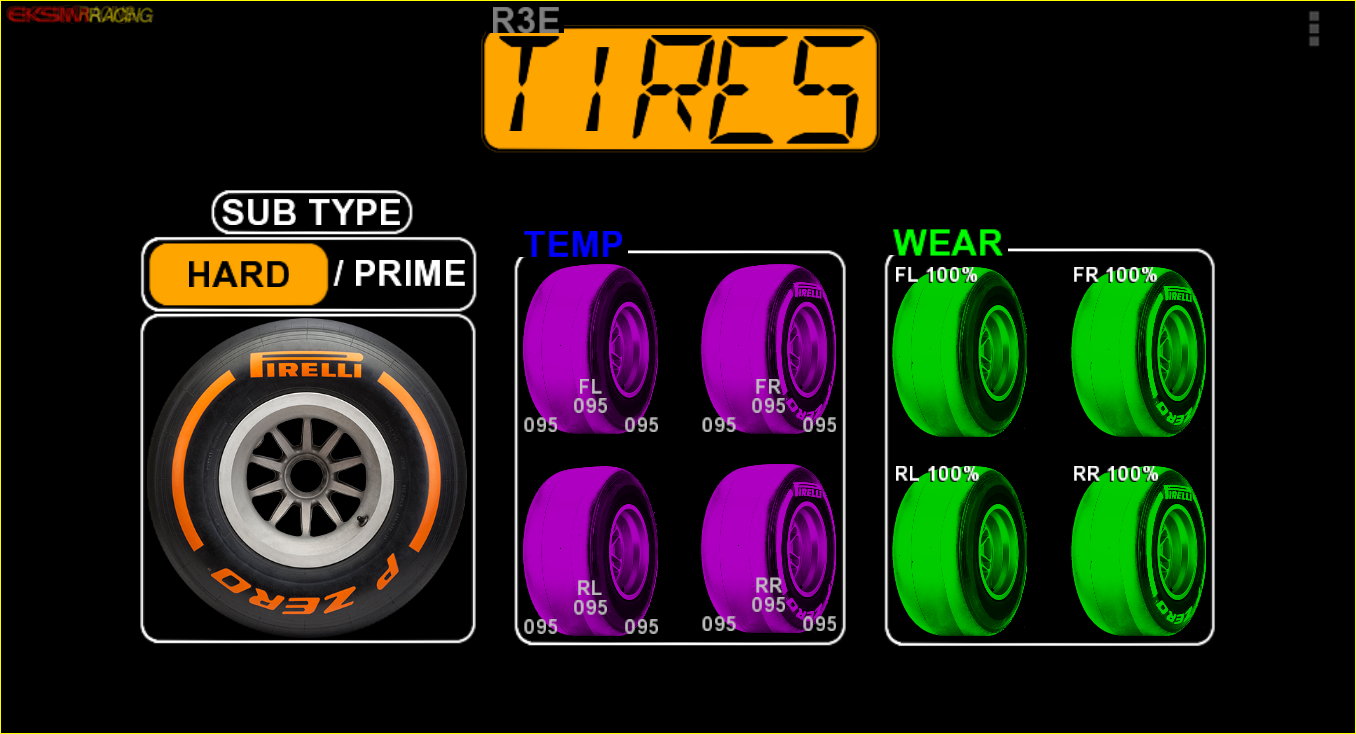


Installation is easy:

Extract the zip archive anywhere then
1_ Copy all tyres compound images inside the 'vdash_template/pictures/" directory (there are 7 types, only 3 are used by R3E).

2_ Copy the json template and its preview image inside the 'vdash_template/templates' directory

3_ Once vdash-emu is started simply go to Editor mode, choose a blank page and in the MISC menu, choose 'SET TEMPLATE' and select the 'R3E_COMPOUND' template.

That it!

;)
« Last Edit: June 17, 2019, 01:46:01 PM by Software Support Staff »
  • My SLI Devices List:
    SLI-PRO, SLI-EMU, SRF1-EMU, VDASH-EMU, VDASH-EMU-WIN
Slts Miche
SorryBadEnglish!
W7x64_CPU:I5 4690K 3.5-4.5 GHZ_GPU:GTX1060_Display:Samsung 40 pouces_MB:Asus MaximusVII Ranger_Ram: CORSAIR DDR3,1600MHZ 16GB_SSD:2xSandisk 240/480 Go_Alim:Corsair1KW_Wheel&Access:T500RS/F1&GT/TH8RS,G27,Slipro,Vdash,SliEmu,SrF1,Frex GP Shifter,GI Max,SPI-D,MiniPC GOLE1

Offline zappadoc

  • Management
  • Suppreme Master Sensei
  • *
  • *
  • *
  • Posts: 5787
  • No email or PM support
    • ZDoc Dev Blog
Re: How to show tyres compound with RaceRoom Racing Experience (R3E)
« Reply #1 on: September 15, 2017, 12:17:18 PM »
thanks for this great tutorial.
Cheers,
z
No support will be provided by PM or EMAIL, PM has been disabled due to heavy spam and abuse, please post in the support boards, thanks for your understanding.