Hi,
I wanted to share my setup with the BeamNG.Drive plugin to help others get the most out of this combination. I hope this helps someone get started or refine their setup!
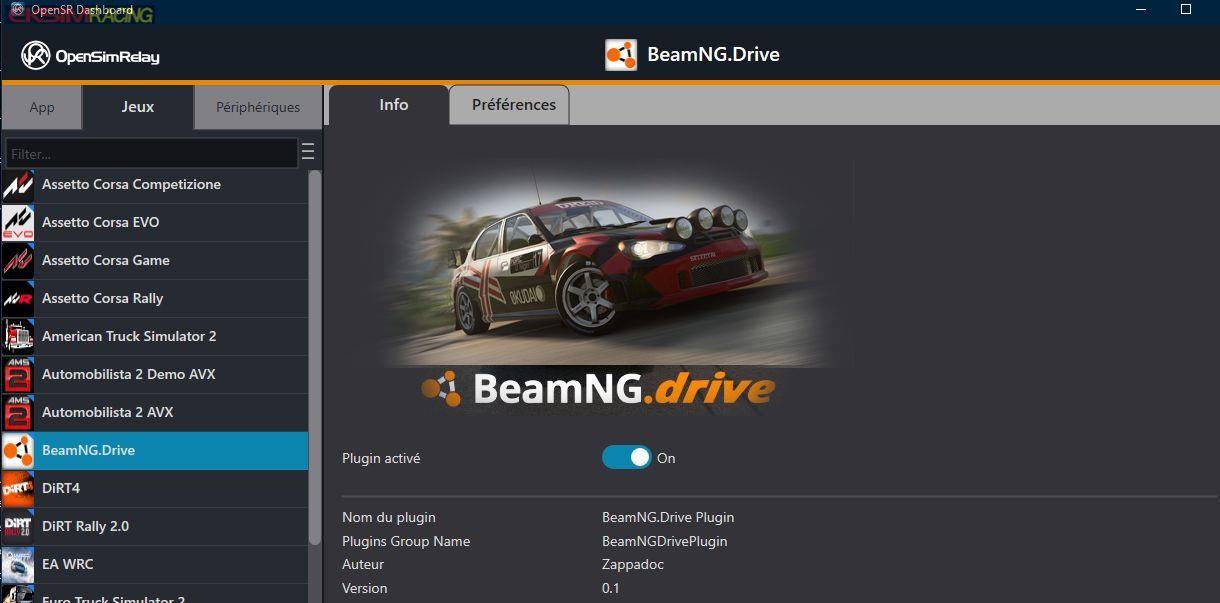
The plugin settings: BeamNG.drive Lua Bridge
Installing the Lua bridge (outgauge.lua and motionSim.lua) for BeamNG.drive is straightforward.
The telemetry system is based on UDP data from LFS, which is limited. To address this, we extended the API to provide additional data while maintaining backward compatibility with older versions.
Recommended:
Back up the original files (e.g., by zipping them) before replacing them.
Replace the outgauge.lua and motionSim.lua files in the following directory:
from your OpenSR Documents directory
C:\Users\<your-user-name>\OpenSR\Bridges\BeamNG.Drive\ to steam game directory
..\BeamNG.drive\lua\vehicle\protocols\ Game Options (1000Hz is enough for 98% of motion platform due to the specs of actuators):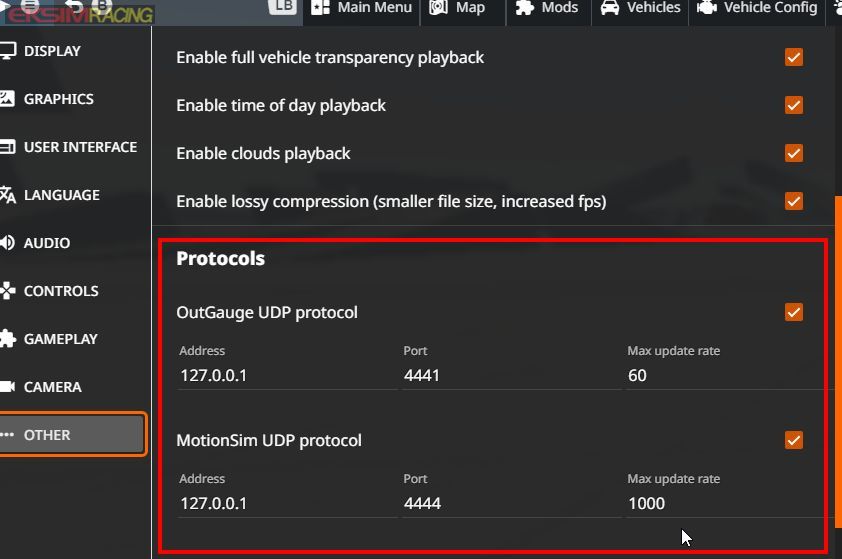
I want to clarify something important about the motion rate slider in BeamNG.Drive options. Although the Motion Rate slider can be set as high as 2000 Hz, increasing this value does not necessarily result in more unique telemetry updates. BeamNG may transmit multiple UDP packets containing identical data between simulation updates. OpenSR processes new telemetry only when the data changes, so the effective telemetry update rate is significantly lower than the raw UDP packet rate. In practice, a Motion Rate setting of 1000 Hz provides around 460 meaningful telemetry updates per second, which is more than sufficient for virtually all motion platforms.
Real telemetry refresh rate used by OpenSRThis value below represents the real telemetry refresh rate used by OpenSR (real updates per sec). It counts actual data updates, not every UDP packet sent by BeamNG, since multiple packets can contain the same unchanged values.
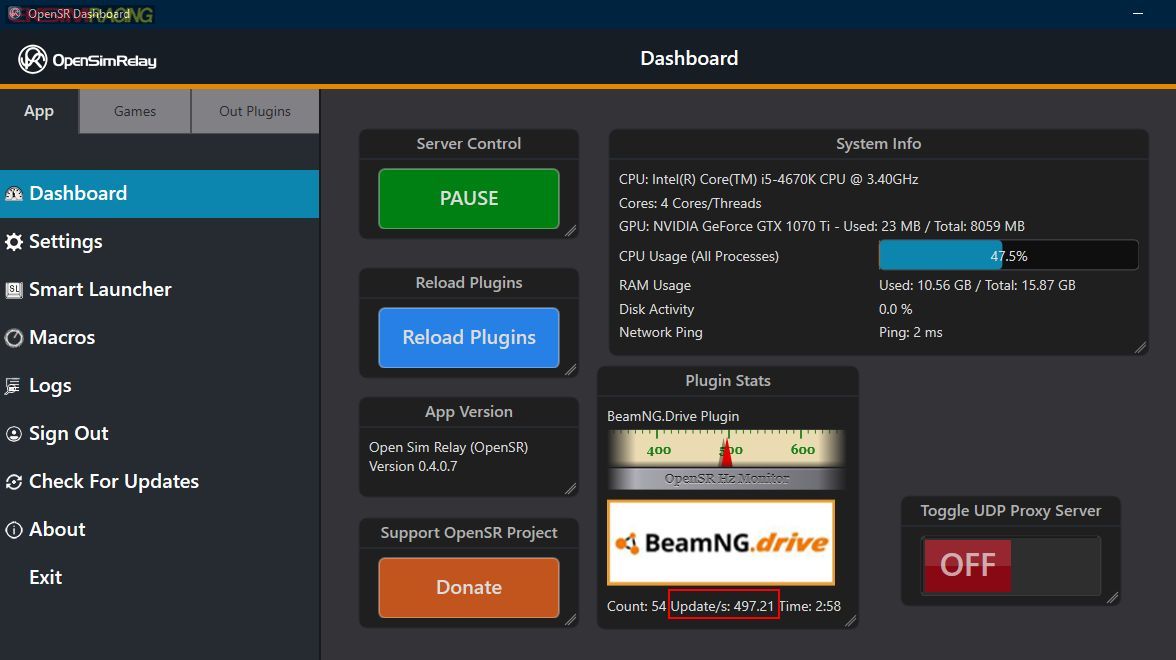
This is more than sufficient for virtually all motion platforms, as few systems can take advantage of significantly higher update rates. For most users, a setting of 1000 Hz provides an excellent balance between responsiveness and performance, with little practical benefit from increasing it further.
I hope this helps someone understand the actual performance capabilities and get the most out of OpenSR with BeamNG.Drive! Feel free to ask if you have any questions about the setup or configuration.
