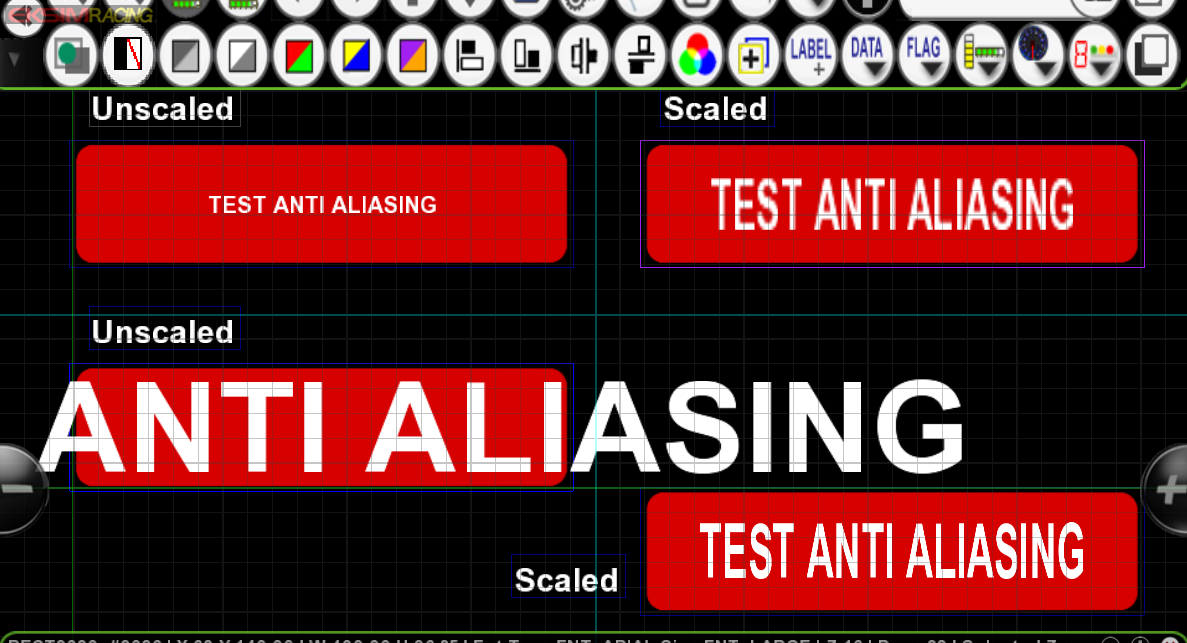
Quick Tutorial About Text ScalingUsing the Advanced Properties of object allows to customize Colors & Text scale, this is really useful to customize your color objects or for scaling the text to fit inside an object or surface.


The rule applicable for the text scaling is to select the
BIGGEST FONT SIZE POSSIBLE to get a nice anti-aliasing.
Why?
because using a small font size stretches the text too much to be properly anti-aliased.
The example below are pretty much self-explanatory. A render of 2 Surface Flag objects one with the SMALL font size and one with the LARGE font size scaled to fit the box: