Search The Support Knowledgebase


(database of technical support questions and answers):
   

Author Topic: 4 Monitors Config: How to use a the fouth monitor for VDASH-EMU?

Offline zappadoc

  • Management
  • Suppreme Master Sensei
  • *
  • *
  • *
  • Posts: 5758
  • No email or PM support
    • ZDoc Dev Blog
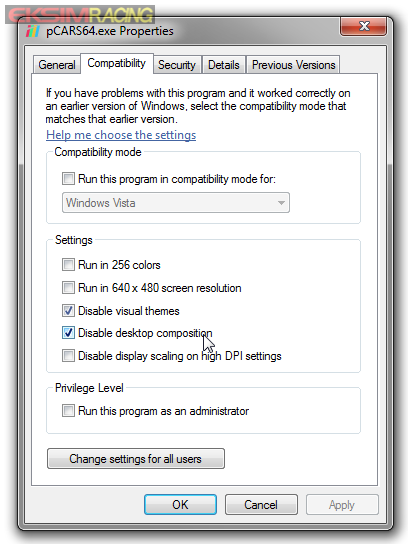
Ok, so you have a 4 monitors config in your rig and you want to start game/simulation in fullscreen but that leave untouched the fourth monitor for VDASH-EMU?

Really easy, just edit the Compatibility properties of the application and tick the Disable visual themes and Disable desktop composition

that's it!


No support will be provided by PM or EMAIL, PM has been disabled due to heavy spam and abuse, please post in the support boards, thanks for your understanding.