
** Plugins Updates are available to anyone from within SLIMax Mgr v3.4.6.4 or greater **
Select menu “Check For Update” to get the latest plugins **
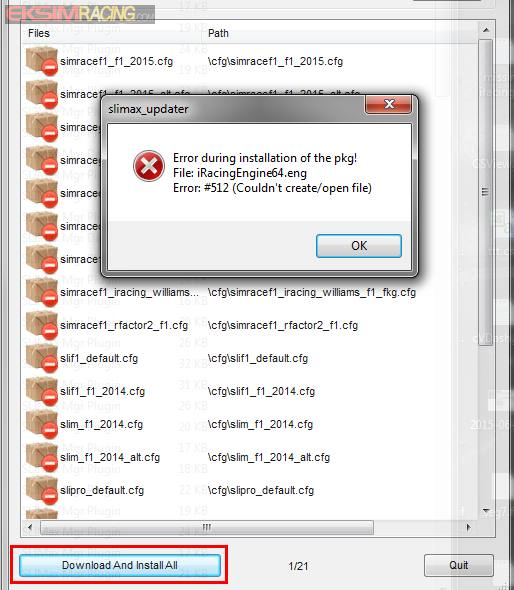
and hit the button “Download And Install All“.


Notes: If you have an error during the Auto-Update process, just hit the “Download And Install All” again. Sometime the sever needs to be re-sync’ed or is simply not ready to server the file due to heavy requests.
Activate the new installed plugins with the Plugins Manager is easy
Select menu “Plugins Manager” and select the plugin in the list and activate it

After The Update
– do not forget to check the plugins page information to configure your game or simulation to send telemetry data, click the icon for more info.
