
Getting Started with Fanatec And OpenSR

Here is the basic steps to get started with OpenSR.
OpenSR contains many features including the support of more than 60 games, the full management of the display and the LED of your Fanatec steering wheel and wheel base, a full management of your buttons/encoders, a wizard to create easily keystrokes sequence (MACRO) assignable to button/encoder, a full management of the motors of your CSP pedals set, rim and wheel base and many more.
Almost all Fanatec rim* (including the latest Fomula V2.x steering wheel)
*OpenSR have been tested with latest Fanatec driver and firmware and compiled with Fanatec SDK 4.06. The software manages all Fanatec hardware supported by the official Fanatec SDK.
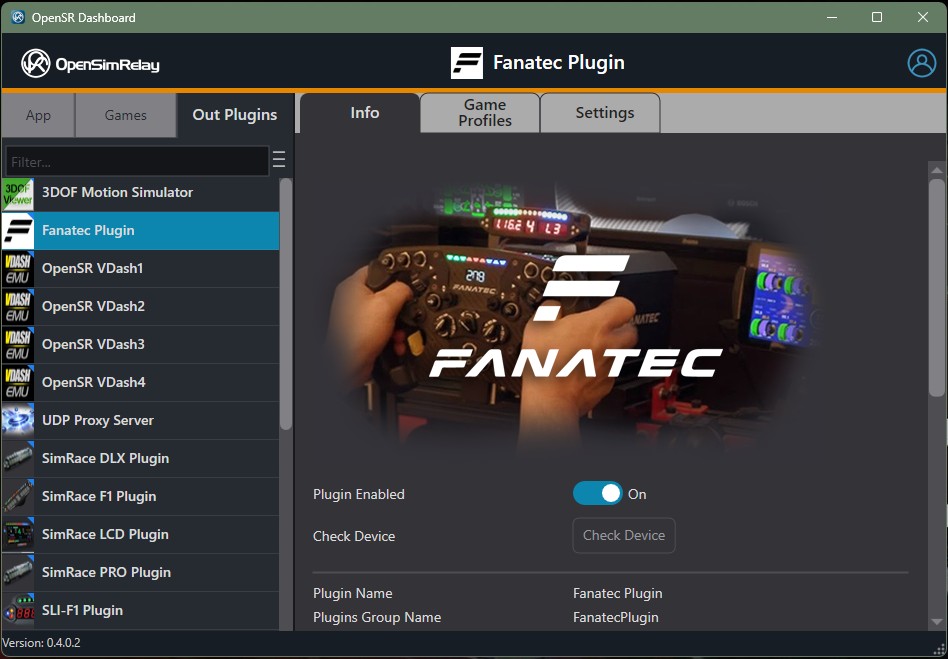
Getting Started
THE BASIC STEPS:
Basic steps to get started quickly with your Fanatec hardware.
– download and install the latest OpenSR
(don’t forget to select Check for update menu to launch the auto-updater and to keep your installation up to date)

Click to Download OpenSR
– configure your games to send telemetry data (OpenSR needs the car telemetry to work properly) and disable the Fanatec native support of the game (if needed). More info related to each game supported can be found in the Plugins Pages and in the FAQ below:
DISABLE the native Fanatec support of your display/LED in game settings is absolutely required to enjoy all features of your Fanatec hardware with OpenSR.
How do I know if I correctly disabled the Fanatec native support of LED/Display of my game?
To test if you correctly DISABLED the native Fanatec led/display support of the game, simply quit OpenSR and launch the game alone, go on track and nothing should be displayed and led must stay OFF.
– do not forget to CAP THE FPS (limit the frame rate) in the game settings, Start with the default 60 fps value to give some CPU time to other apps in background or your game may eat all the resources of your PC and prevents OpenSR to work properly.
First steps have been done (download, installation and game configuration), it’s time to start:
– run OpenSR and edit your game profiles.
OpenSR is a community-driven project. While the software is completely free, donations are always welcome and help support future development, new features, and infrastructure costs.
 Donation issue from Japan, read the FAQ
As a thank-you to customers who supported our previous software, existing registered users can sign in to OpenSR using their account and unlock additional benefits, including Pro Performance Mode (PPM).
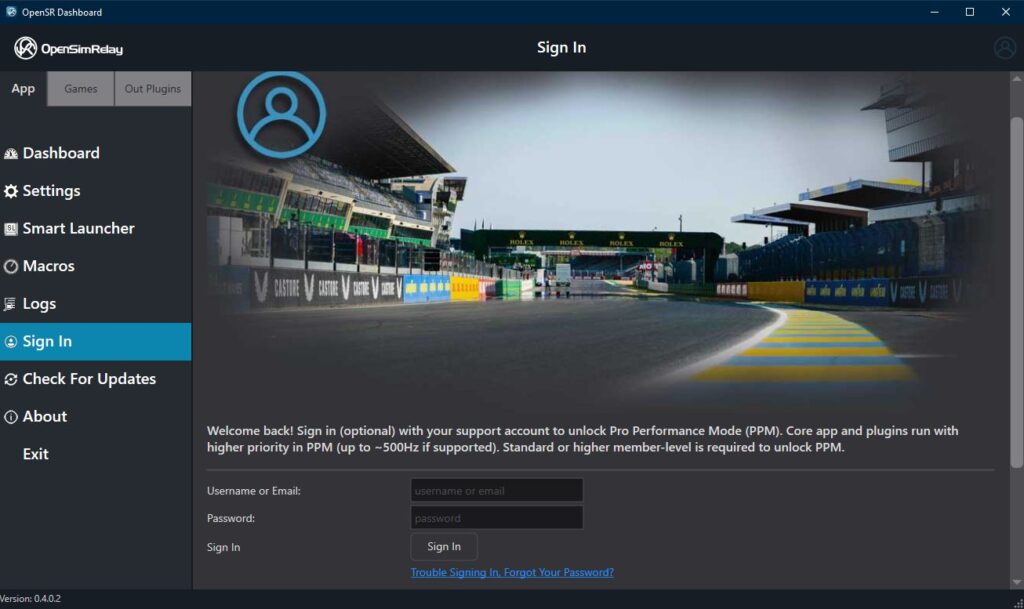
The software license is automatically downloaded and installed by OpenSR to enjoy your Fanatec hardware with more than 60 games.
– run your favorite sim or game
It is strongly recommended to follow the basic steps above, you basically do not need anything else to get started,
– use the default Fanatec game profile (also called setup or configuration) and enjoy your sim racing rig with your favorite game first (OpenSR supports more than 60 game) and later start to customize your setup to suit your needs. After your first run, read the quick info and tips below and later click the TAB Advanced Setup Options to get more information.
QUICK INFO AND TIPS:
Use the OpenSR game profile editor to change the behaviors of Pit limiter, Shift-lights or Shift-points, FLAG LED, etc.
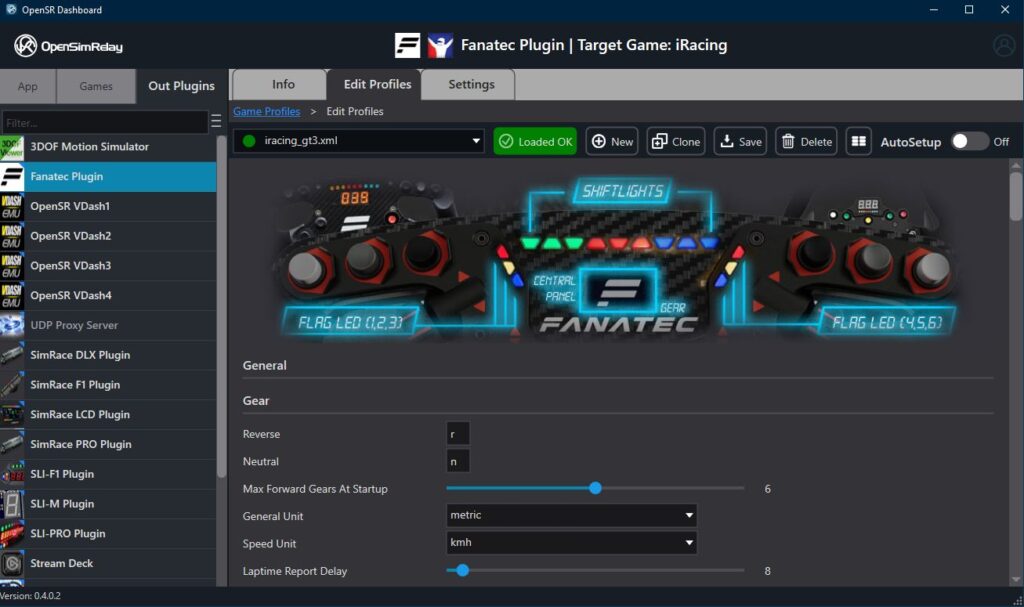
The General Settings
General Settings contains global settings and can be useful for example if you need to display the system time in the 12h or 24h (your PC system time is displayed when the game is paused).
BEST COMPANION OF YOUR FANATEC DEVICE


VDASH-EMU ( virtual Racing Dash ) is the best companion of your Fanatec device, a powerful second screen/dash available for Android/Windows ( Virtual Racing Dash Emulator VDASH-EMU )

VDASH-EMU Getting Started (User Guides and documentation)
Read the FAQ “How to configure your games”
How do I know if I correctly disabled the Fanatec native support of LED/Display of my game?
To test if you correctly DISABLED the native Fanatec led/display support of the game, simply quit OpenSR and launch the game alone, go on track and nothing should be displayed and led must stay OFF.
User Guide And Support
User Guide And Support
To go further:
The primary software support information is in on the getting started page and user guides (include video tutorials), see the link below:
if you need assistance read the documentation, F.A.Q. and watching the video tutorials, If you have a hardware issue contact your hardware supplier or the Fanatec support directly, we don’t do any hardware support.
BEST COMPANION OF YOUR FANATEC DEVICE
VDASH-EMU ( virtual Racing Dash ) is the best companion of your Fanatec device, a powerful second screen/dash available for Android/Windows ( Virtual Racing Dash Emulator VDASH-EMU )
VDASH-EMU Getting Started (User Guides and documentation)
Configure Games
The plugins information page is a good source to know if your game is supported or not, check this HERE
Almost All Plugins are usually included in the installer of OpenSR. Select Check for updates to get the latest version of plugins and keep your installation up to date.
Which games are supported?
Any game can be supported by writing a dedicated Game plugin. OpenSR will support a wide range of major racing titles, including but not limited to

Read the FAQ: configure your game
American Truck Simulator
Assetto Corsa Pro**
Assetto Corsa
Assetto Corsa Competizione
Assetto Corsa EVO
Assetto Corsa Rally
Automobilista 2
BeamNG Drive
DCS Motion
DiRT4
DiRT Rally
DiRT Rally 2.0
EA F1 22
EA F1 23
EA F1 24
EA F1 25
EA Grid Legends
EA SPORTS WRC 2023
Euro Truck Simulator 2
F1 2010
F1 2011
F1 2012
F1 2013
F1 2014
F1 2015
F1 2016
F1 2017
F1 2018
F1 2019
F1 2020
F1 2021
Forza Horizon 4
Forza Horizon 5
Forza Horizon 6
Forza Motorsport 2023
GRID Autosport
GRID2
GT Legends
GTR2
iRacing
KartKraft
Le Mans Ultimate
Live For Speed
GRally*
GP Bikes*
Kart Racing Pro
MX Bikes
Project CARS
Project CARS 2
Project CARS 3
Project Motor Racing
RaceRoom Racing Experience
rFactor
rFactor Pro**
rFactor 2
Richard Burns Rally
WRC Generations
Wreckfest 2
** special version for PRO available on demand, contact us
Fanatec Hardware are recommended by EKSIMRacing. All product names are trademarks or registered trademarks of their respective holders. Use of them does not imply any affiliation with or endorsement by them.