

Thank you for using the V2RButtonBox Emulator. This software emulator utilizes the V2R technology, invented in 2015 by Zappadoc, the founder of the EKSIMRacing foundation. This powerful engine enables you to use your Android or Windows tablet as a real button box hardware device.
Compatibility
The V2RButtonBox is compatible with any application, including games, 3D rendering/building software, sim racing, fight simulations, lighting consoles, and more. Any software that accepts joystick, button, or axis assignments can be used with the V2RButtonBox emulator.
V2RBox Software




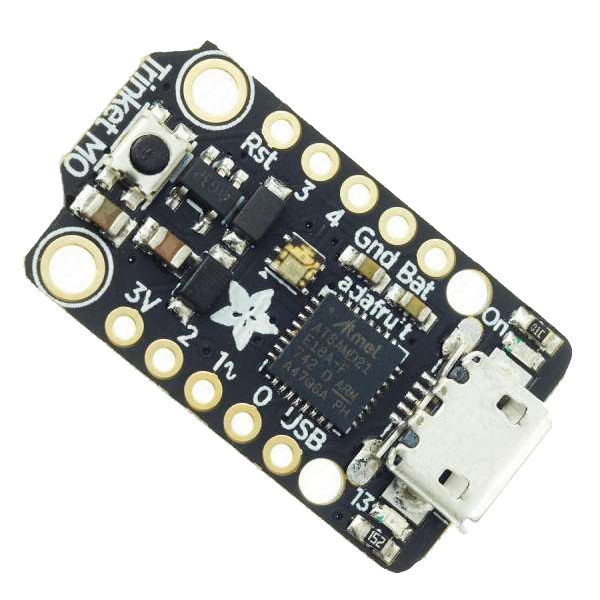
The V2RButtonBox is the ‘client’ part of the V2RBox software and emulates a real button-box. It runs on Android (recommended) or Windows tablets and is associated with the V2RBox Server for Windows and the V2RBox USB controller (a $9 Adafruit Trinket m0 device) running on your Windows gaming PC. The V2RBox software uses the V2R technology to communicate between the tablet and the PC, allowing for real-time control of your applications.
The V2RButtonBox software can manage buttons and axes, with up to 4 V2RBox USB controllers combined for a total of 256 buttons and 24 axes. This allows for a high degree of customization and flexibility in creating your button box layout.
Customization
The V2RButtonBox is entirely customizable, allowing you to create an infinite number of button-box configurations. You can create custom button layouts, assign macros to buttons, and configure axis settings to suit your specific needs. The software also includes a built-in button editor, which allows you to easily design and test your button layouts.
Examples
Here are a few examples of how the V2RButtonBox can be used:
- Sim Racing: Create a custom button box for your favorite sim racing game, with buttons for shifting, pit commands, and other frequently used functions.
- Lighting Console: Use the V2RButtonBox to control a lighting console, with buttons for different lighting effects, color changes, and more.
- Flight Simulation: Create a custom button box for your flight simulator, with buttons for landing gear, flaps, and other important functions.
The V2RButtonBox is a powerful and flexible software emulator that allows you to use your tablet as a real button box hardware device. With its compatibility with a wide range of applications, customization options, and easy-to-use interface, the V2RButtonBox is an essential tool.
We hope you enjoy using the V2RButtonBox, and we welcome your feedback and suggestions for improvement. Thank you for choosing the V2RButtonBox Emulator!
(Translation in your native language of this website is available from the menu on top-right)
