
Thanks for using the V2RButttonBox. If you want to take part of this new exciting project download and install the software and read the doc online to register and get your software license.
The quick guide below can be useful if you are already using one or more of our software.
Feel free to drop us an email if you have any question, report, feedback or simply want to share with us your great projects on V2R Technology. Thank you.
Watch also the video tutos in the main user guide area to build your custom button-box.
1- connect to your USB port of your PC the Trinket m0 device or the Teensy LC

2- then double-click the BOOTLOADER button on the Trinket m0 to put the device in bootloader mode (simple-click for the Teensy LC). The V2RBox Server will detect the device automatically and prompt you to install the V2R Firmware on first launch.
– download and install V2RBox Server on your PC ( go to the download area)
– download and install the V2RButtonBox Emulator on your PC or Android/Windows tablet (go to the download area)
– run the V2RBox Server (on Firewall prompt ALLOW V2RBox Server to use your local/home network) and install the V2R firmware, wait until the complete firmware installation
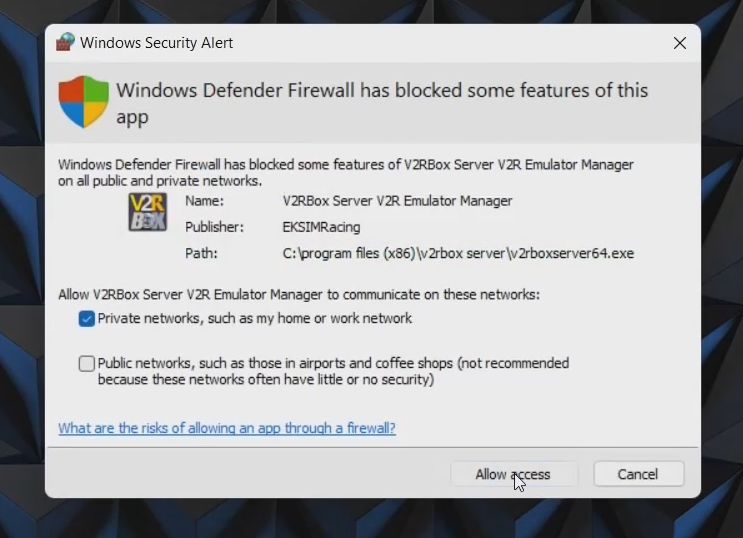
Trinket m0 is automatically detected at V2RBox Server startup


Devices And Printers control panel show up the V2RBox Controller
The firmware is now correctly installed.
– run the V2RButtonBox emulator on your tablet or PC (on Windows Firewall prompt ALLOW V2RButtonBox to use your local/home network)
– launch the V2RBox Server on your PC, it detects the new V2RBox controller and prompts you to register the software license
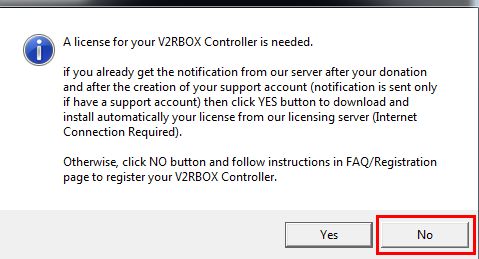
– click the No button

– then the REGISTER button to make your donation of any amount to our foundation. The software license is almost free it requires a simple contribution to support the projects of our nonprofit foundation EKSIMRacing (we accept only $ USD United States dollar).
A notification will be send to you by email within 24h (check your spam mailbox if you didn’t get it or contact us tech_support@eksimracing.org).
– create an account at EKSIMRacing foundation is optional but recommended to get all info on your license(s) validity and to be sure to receive our notification when license is ready (link register your account).

– you received the notification sent to your account when your license is valid and ready,
– start the V2RBox Server and click Yes button this time,

The license is installed automatically by the software.
Congrats your now ready to enjoy one of the most innovative technology out there!
Watch the video in the main user guide area to learn how to use the V2RButtonbox and build your first custom button-box. V2RButtonBox is universal and compatible with all games.
V2RBox Starter Kit is included with a bunch of high quality button-box templates ready to use, enter the editor mode, go to a new page and select “Load Template” menu to load a template.

