
1. Overview
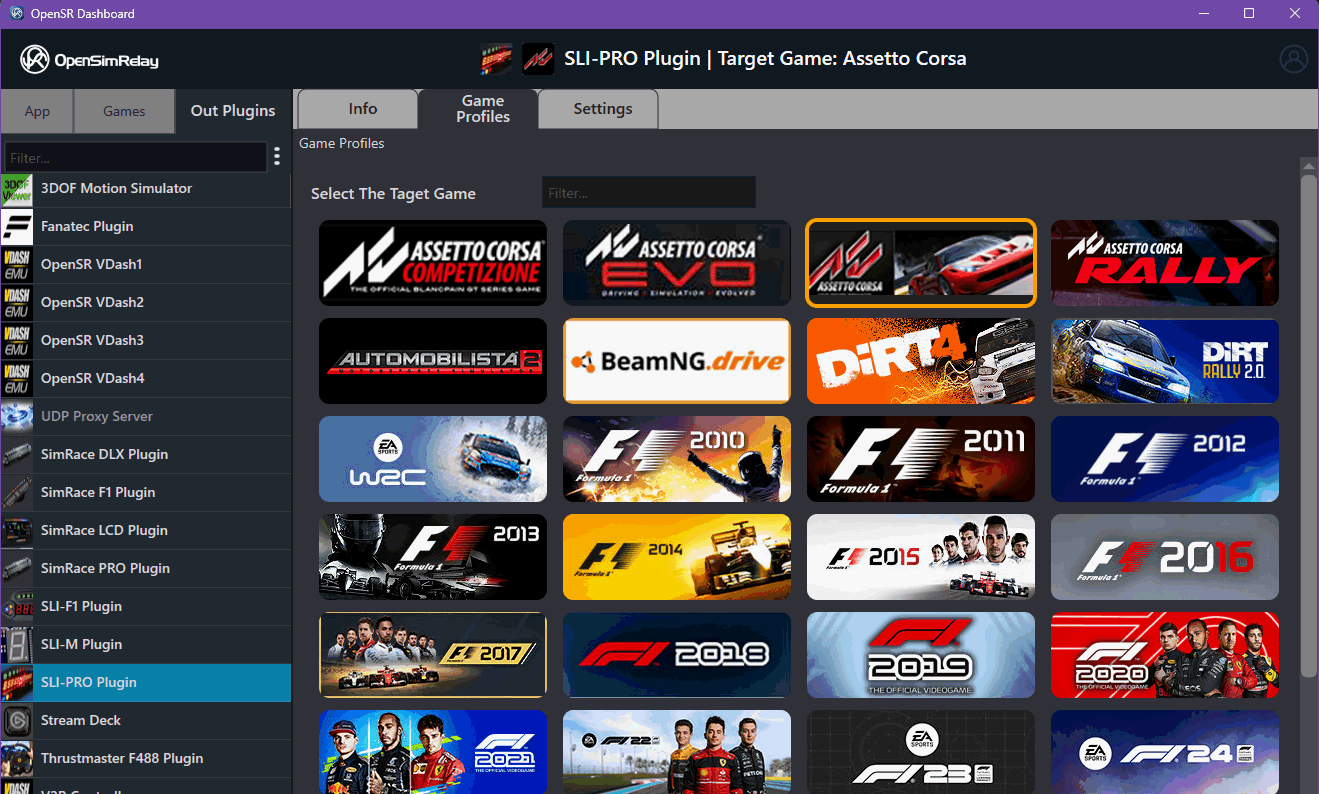
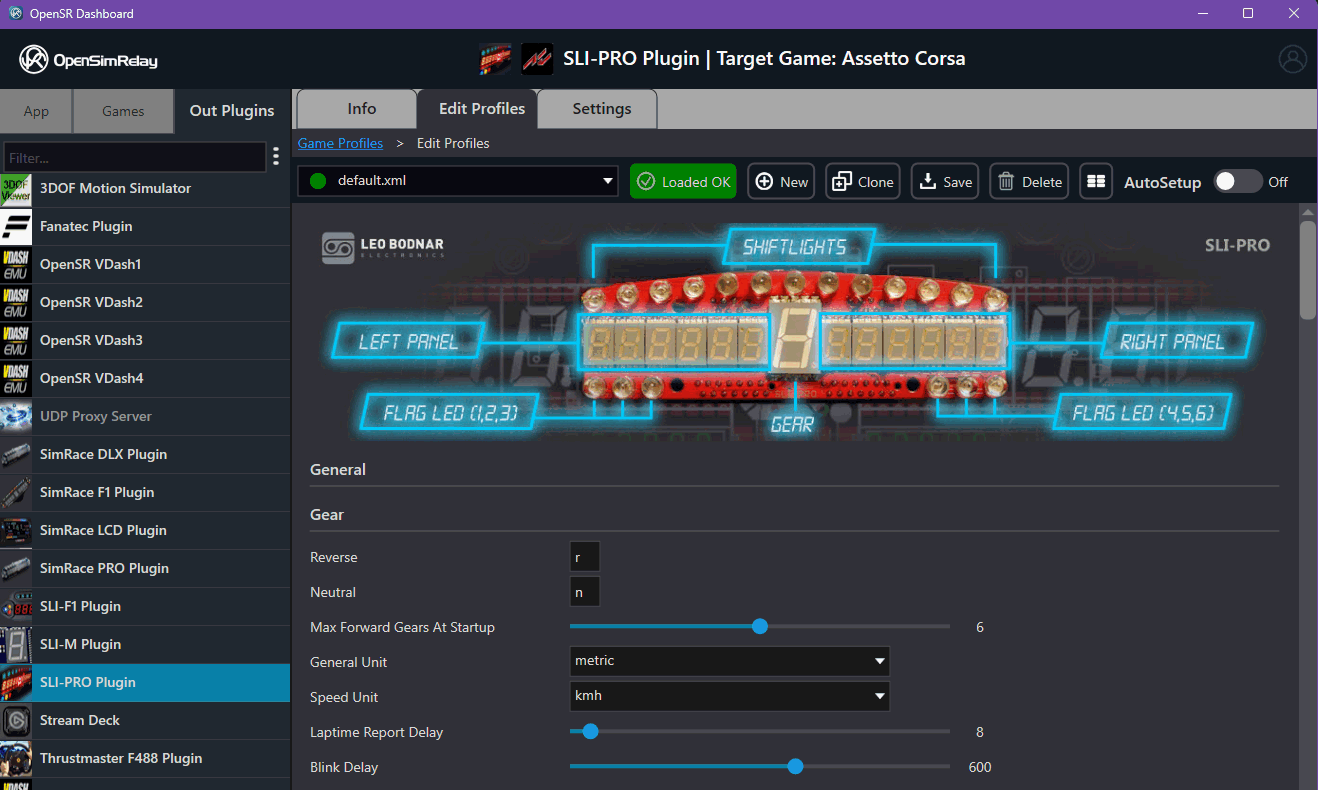
OpenSR uses a hierarchical game profile system to manage configurations across:
- OUT plugins (devices / protocols)
- IN plugins (games)
This system allows:
- per-device configuration
- per-game customization
- profile sharing across compatible plugins
2. Plugin Identity & Grouping
Each plugin defines its identity via:
GetPluginGroupName(...)
Behavior:
Case 1 — Empty string ("")
- The system uses:
- compiled plugin name (without extension)
Example:
rFactor2Plugin.osri → rFactor2Plugin
SLIPROdevicePlugin.osro → SLIPROdevicePlugin
This name becomes:
- the plugin identifier
- the profile folder name
Case 2 — Custom group name
- The provided string is used instead
- Allows multiple plugins to share:
- the same profile set
Example use case:
- Variants of the same game:
- standard
- demo
- AVX version
All can share (example for AMS2, AMS2 Demo and AVX variations):
Automobilista2Plugins
In your plugin header:
void GetPluginGroupName(wchar_t* buffer, size_t bufferSize) const override {
        wcscpy_s(buffer, bufferSize, L"Automobilista2Plugins");
}
3. Profile Folder Structure
All profiles are located under:
<USER-DOCUMENTS>/OpenSR/Profiles/
Structure:
Profiles/
  <OutPluginName>/
    <GamePluginName>/
      profile1.xml
      profile2.xml
      .osr/   (internal host-managed data)
Example:
Profiles/
  SLIPROdevicePlugin/
    rFactor2Plugin/
      default.xml
      custom.xml
      .osr/
4. Mapping Logic
Hierarchy:
OUT Plugin → Game Plugin → Profiles
Meaning:
- Each OUT plugin has its own configuration space
- Inside it:
- configurations are split per game (IN plugin)
Resolution flow:
- OUT plugin identifies itself →
OutPluginName - IN plugin identifies itself →
GamePluginName - Host loads profiles from:
Profiles/<OutPluginName>/<GamePluginName>/
5. Hidden .osr Folder
Each OUT plugin profile directory contains:
.osr/
Managed exclusively by the host
Contains:
- default profile reference
- last loaded profile
- autosetup profile
Autosetup behavior:
- Automatically loaded when:
- a game is detected
- Allows seamless user experience without manual selection
6. Profile Ownership & Access
Host responsibilities:
- Create profile folders
- Load and save profiles
- Manage
.osrinternal state - Handle autosetup logic
Plugin responsibilities:
- Define:
- structure (via
profile_template.xml)
- structure (via
- Consume:
- configuration data provided by the host
7. Profile Sharing
Supported:
Multiple plugins can share the same group name:
- They will:
- use the same profile folder
- access the same configurations
Requirement:
- Plugins must be fully compatible with shared profiles
8. Lifecycle & Loading Behavior
- Profiles are:
- loaded by the host
- Not directly handled by plugins as files
Typical behavior:
- Loaded:
- when game starts
- when user switches profile
- Managed dynamically by the dashboard
9. Design Intent
- Decouple:
- device configuration (OUT)
- game telemetry (IN)
- Allow:
- reuse across similar plugins
- scalable configuration system
- Centralize:
- profile management in the host